 miracue
Miracue Pro · Opens in November
Your personal AD, in your pocket.
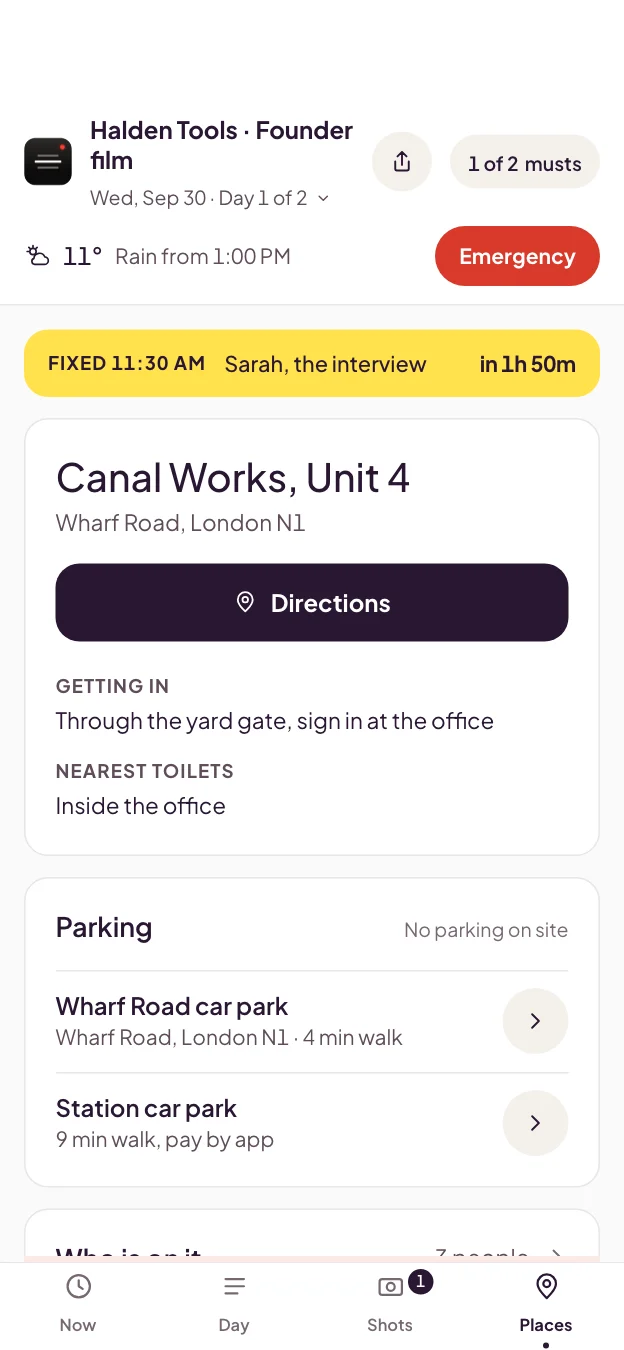
Build the call sheet once. Send your crew one link, and the whole day is on their phones. No app. No account for them.
You'll hear before it opens to anyone else. We'll only email you about Pro, and you can leave the list in one click.
You're on the list. Check your inbox for a note from us.
No AD on this one?
Then it's all in your head.
Crew, locations, call times, the client, the shot list. On a small team, one person holds all of it, and the crew texts that person every time they need something. Miss one thing, and the day slips.
Miracue Pro puts the whole shoot in one place, and puts that place on everyone's phone.
Type it once. The call sheet, the shot list and every phone are done.
1 · Build it once
The call sheet and the shot list, on one shoot
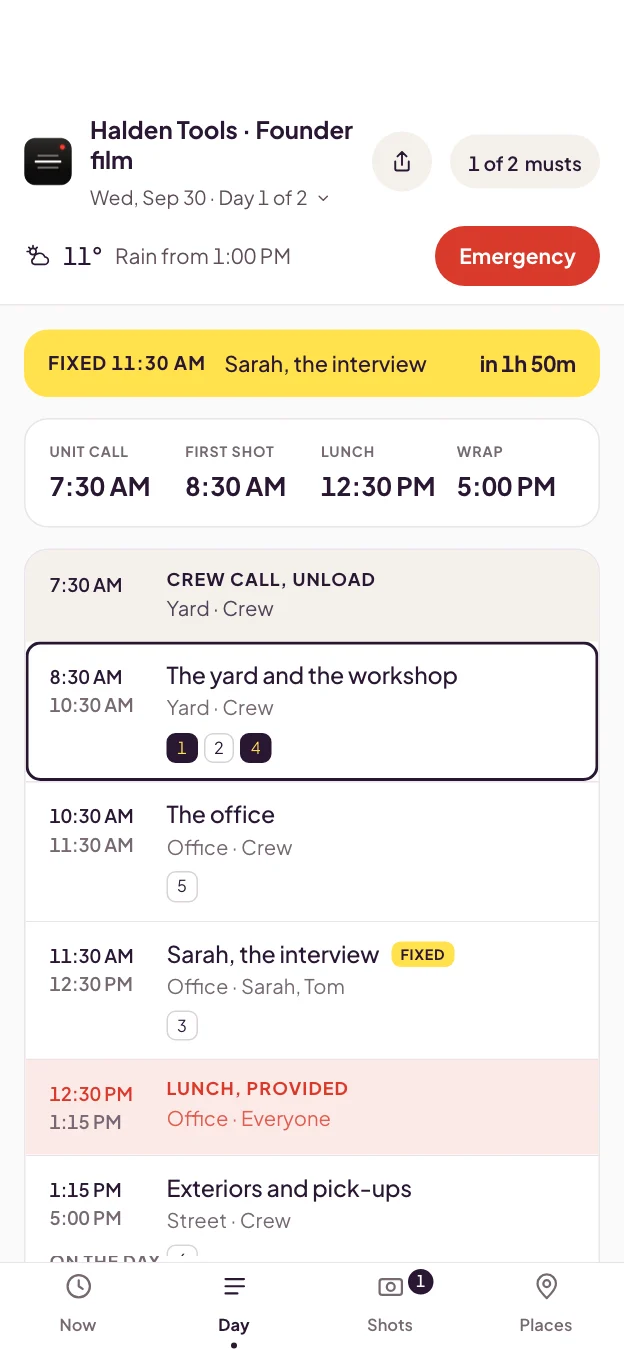
- Call times, crew, locations, parking and the schedule, typed in once.
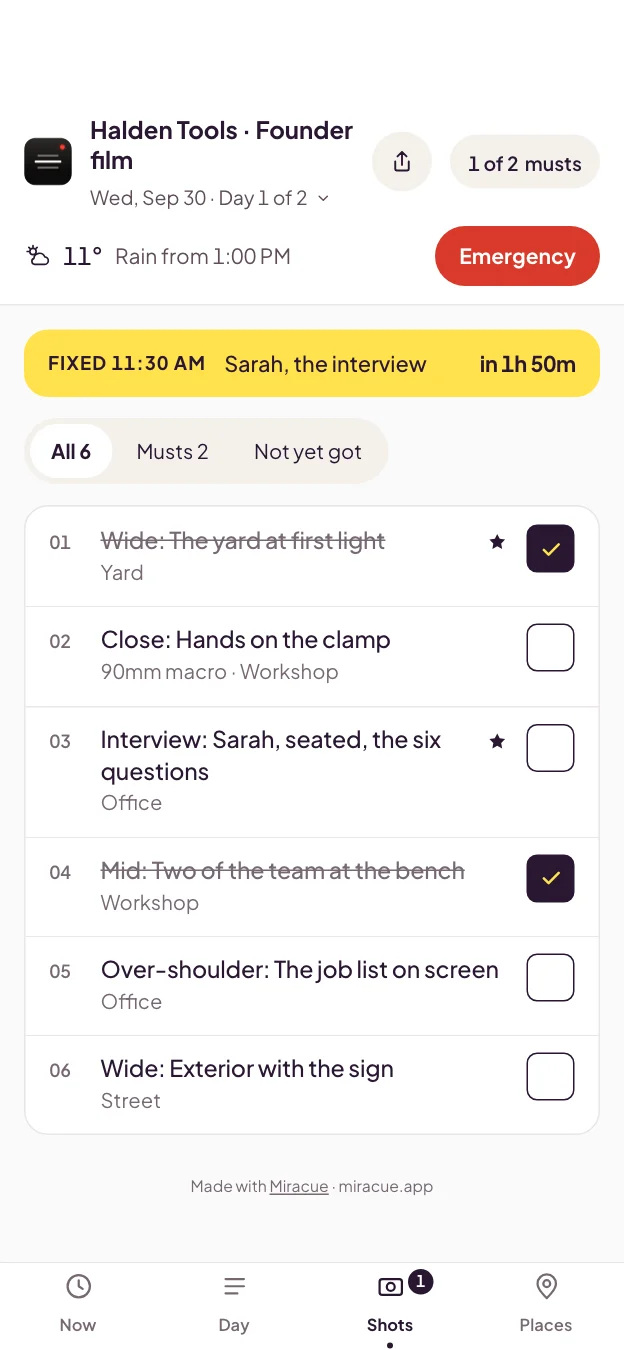
- The shot list lives on the same shoot, so nothing is kept in two places.
- Prints as a clean call sheet, A4 or US Letter, when you want one on the wall.
2 · Send one link
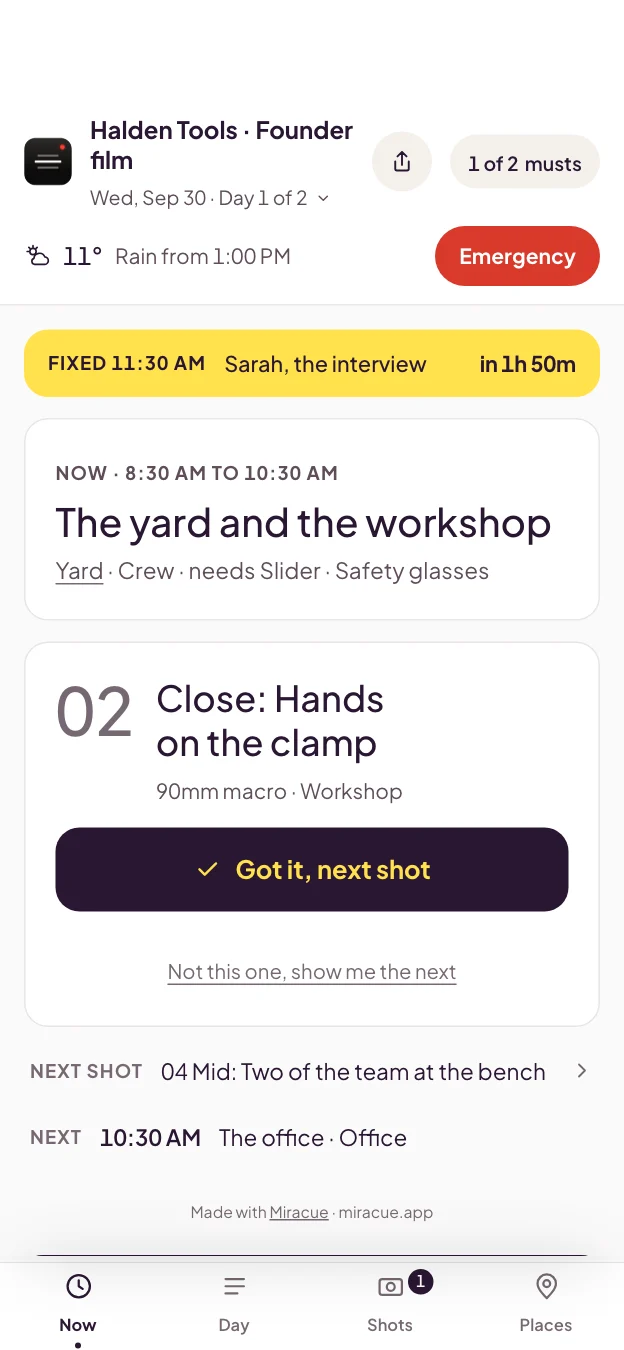
Your crew opens it in their browser
- One link or a QR code. Crew need no account and no app.
- Your client gets their own link, without your crew's personal phone numbers on it.
- Anyone who checks off shots with you signs in free and checks them off alongside you.
3 · On the day
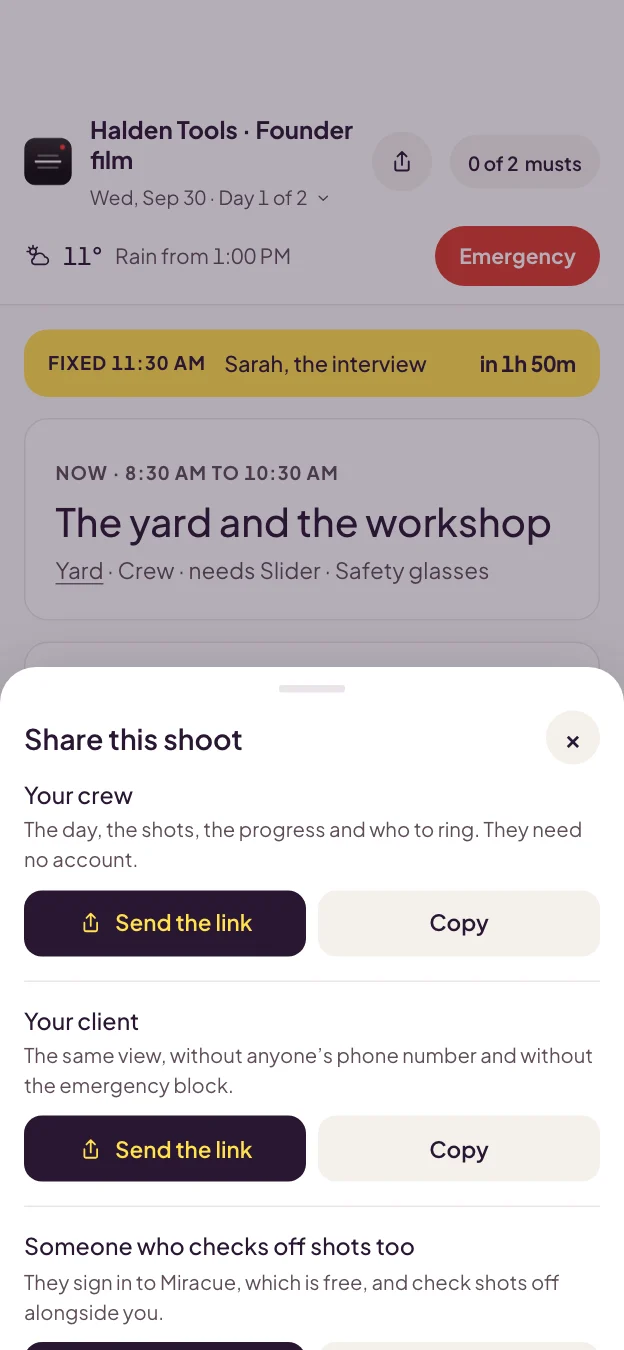
The whole day, on every phone
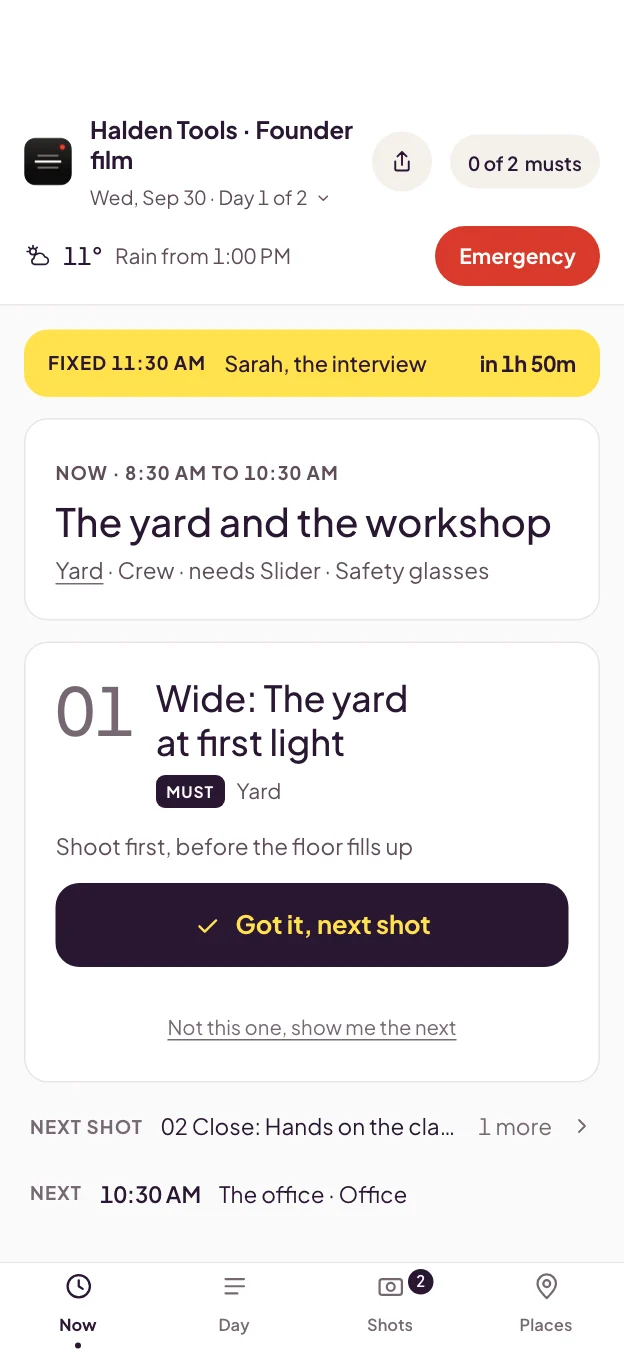
- What's shooting now, what's fixed and can't move, and the running order.
- Change a call time, and it changes on their phones.
- Check a shot off, and it's checked off on everyone's shoot day.
- Once it's open, a dropped signal doesn't stop it. Live updates from the crew catch up when it's back.
- Your script sits in the same project, with the teleprompter ready.
And help with the busywork, when you want it.
Everything works by hand. When you want help, two tools come with Pro at launch. They work on your project, they only run when you ask, and you stay in charge of every change.
Also in Pro · Storyboard
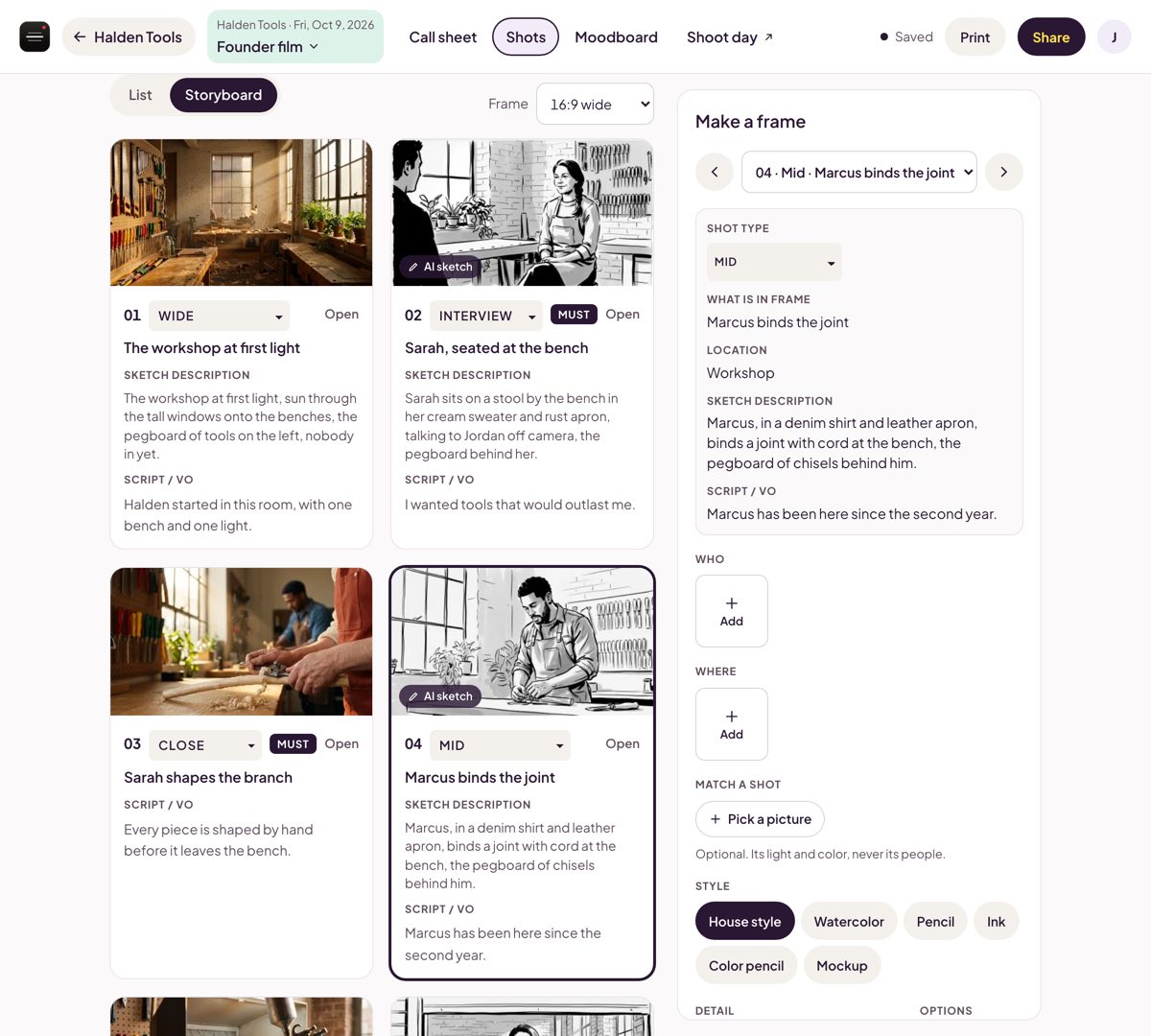
No frames for the storyboard yet? Press Sketch it.
Miracue sketches each frame from what your shot list and call sheet already say. Pick Rough for a quick draft or Detailed for a closer match, and add reference pictures to keep the same people and places in every frame. Every sketch is labeled as an AI sketch, so the client knows what they're approving, and a real picture replaces it the moment you have one.
Also in Pro · The assistant
Paste the client's notes. It fills in the call sheet.
The assistant reads your project and works on the shoot with you. Ask it to turn the script into a shot list, check the call sheet for gaps, or tell you what's left to shoot on the day. It suggests each change, and you press Apply. It can't delete a shoot, a shot, a script or a project.
Already work in Claude or ChatGPT? Pro includes the Miracue MCP server: connect your agent once, and it sets up the project from the client's documents.

Every tool on one shoot
Built for corporate, marketing and business shoots, not film and TV stripboards. More tools join as they're ready.
Before you join
When does it open?
In November. Everyone on the waitlist hears first, before it opens to the public.
What will it cost?
We'll tell the waitlist first, when it opens.
Is the AI included?
Yes. The assistant and the AI storyboard sketches come with Pro, and everything works by hand without them. We'll share the details with the waitlist first, when Pro opens.
Does my crew need an account or an app?
No. Crew and clients open the shoot day from a link or a QR code in their phone's browser. Nothing to install, no sign-in.
What if there's no signal on location?
Once the shoot day has been opened with a signal, a dropped signal doesn't stop it.
Is the teleprompter still free?
Yes. The teleprompter stays free, and the call sheet and shot list templates and the talent release form are free today, with no account.
I already pay for Miracue. Does anything change?
No. You keep everything you have now.