 miracue
For producers and small video teams
Producers: your references are in twelve tabs and a group chat. Put them on one moodboard.
You found the look last week. Some of it is in a folder on your desktop, some is in a chat thread, and the best frame is in a tab you closed.
Then the client says "yes, that vibe" on a call, and nobody can say which picture they meant.
Miracue's moodboard lives inside the shoot project. Paste the pictures in, tidy them in one press, and send the client one link to approve.
Opens in November
Miracue is built by a production company that runs paid video shoots.
Miracue is made by Lumira Studio, a UK video production company. Every change runs on its own client jobs first.A moodboard that moves like PureRef and lives with the shoot
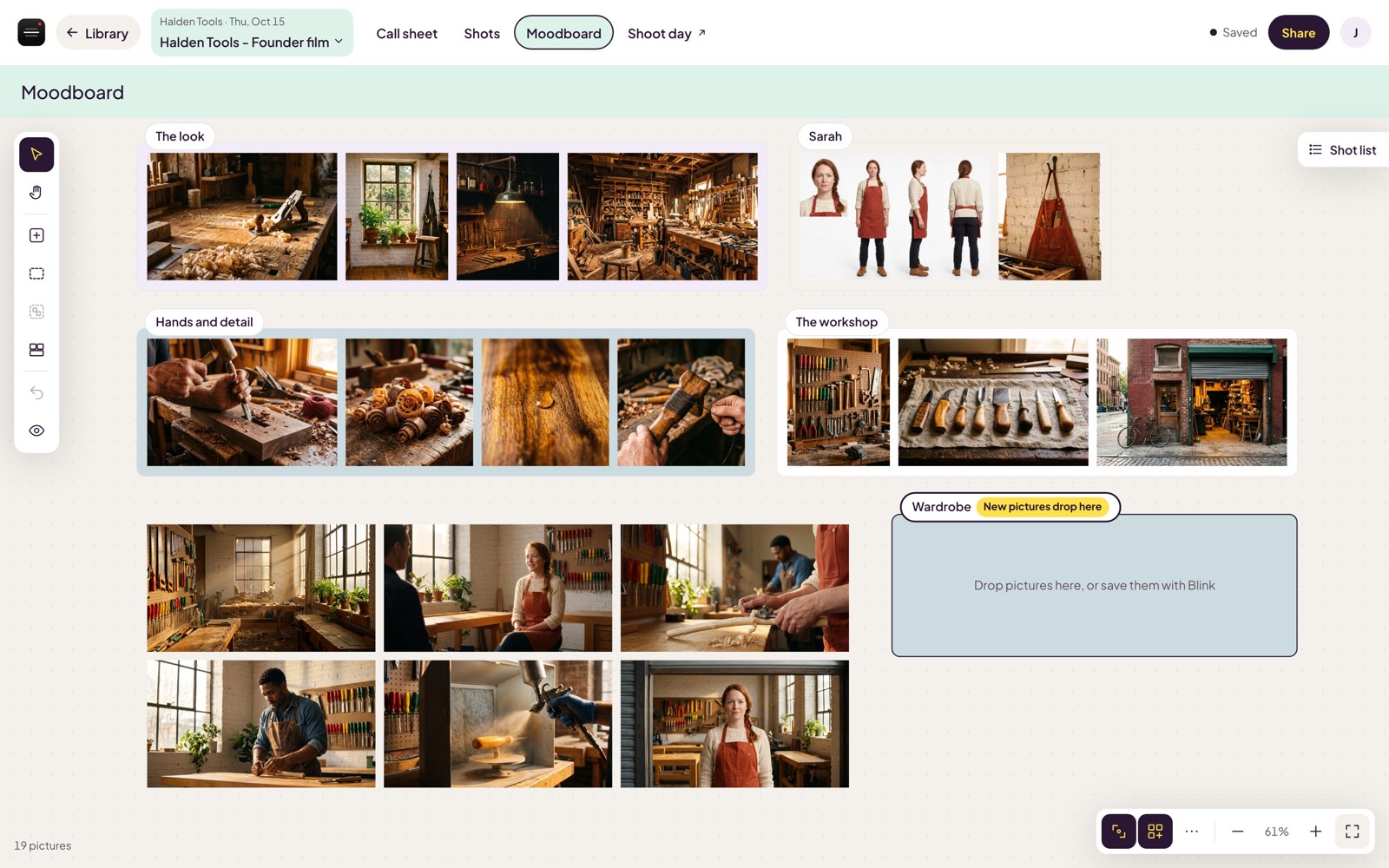
Paste it and it's on the board
Drop or paste pictures straight in, then move them, resize them, pan and zoom. A mouse wheel zooms to the pointer, a trackpad pans, and a pinch zooms.
Drag a box to select a handful. Right-click for everything else, including "Open the page it came from".
Tidy in one press
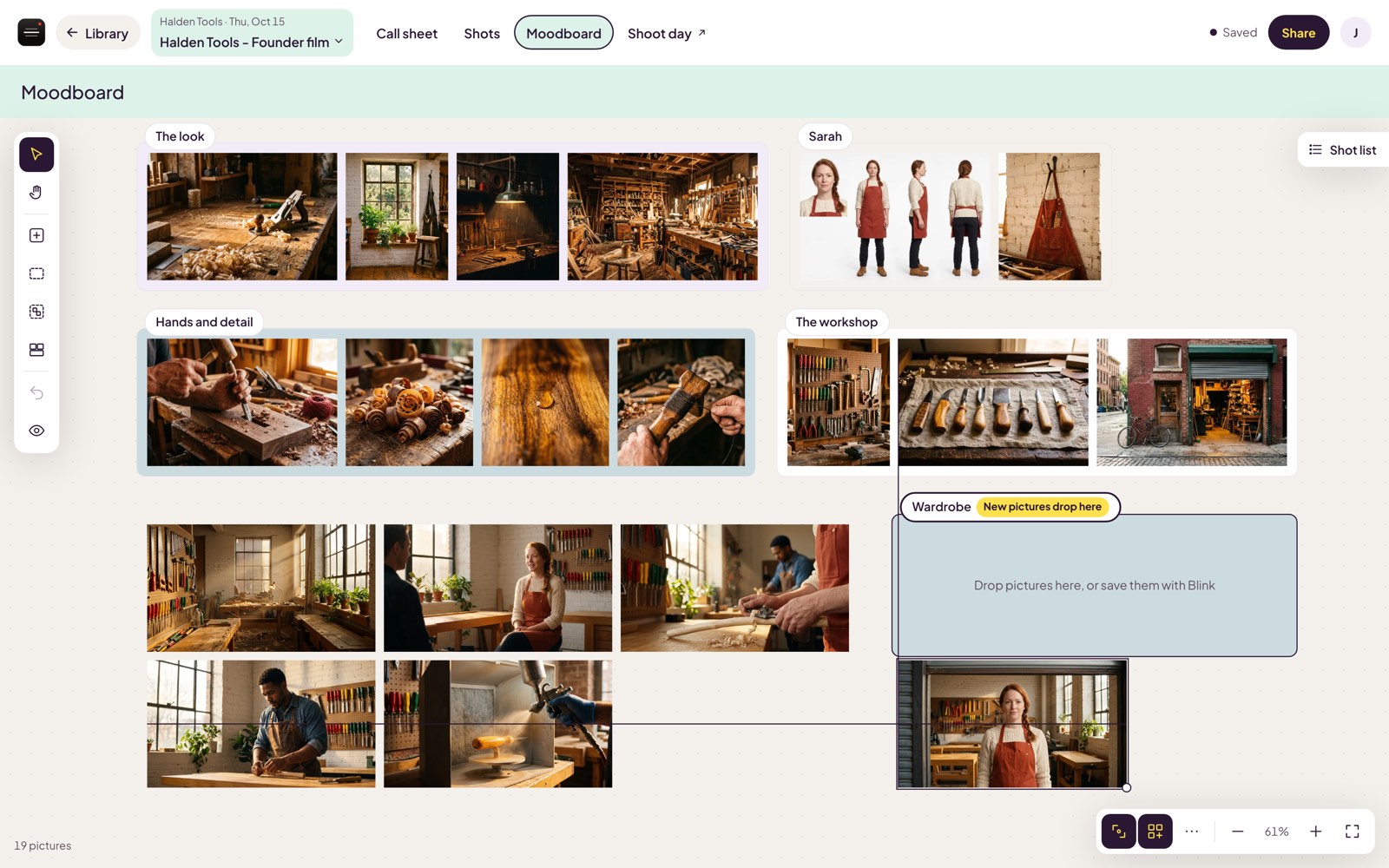
Snap lines pictures up by their edges and centers as you drag, with a thin guide to show you. Press Arrange and the whole board packs into neat rows with every picture whole and nothing cropped. Hated it? Undo.
Group the pictures for each scene, give a group a colored background, and mark it as the drop area. The tab says "New pictures drop here", and they do.
It sits in the project with everything else
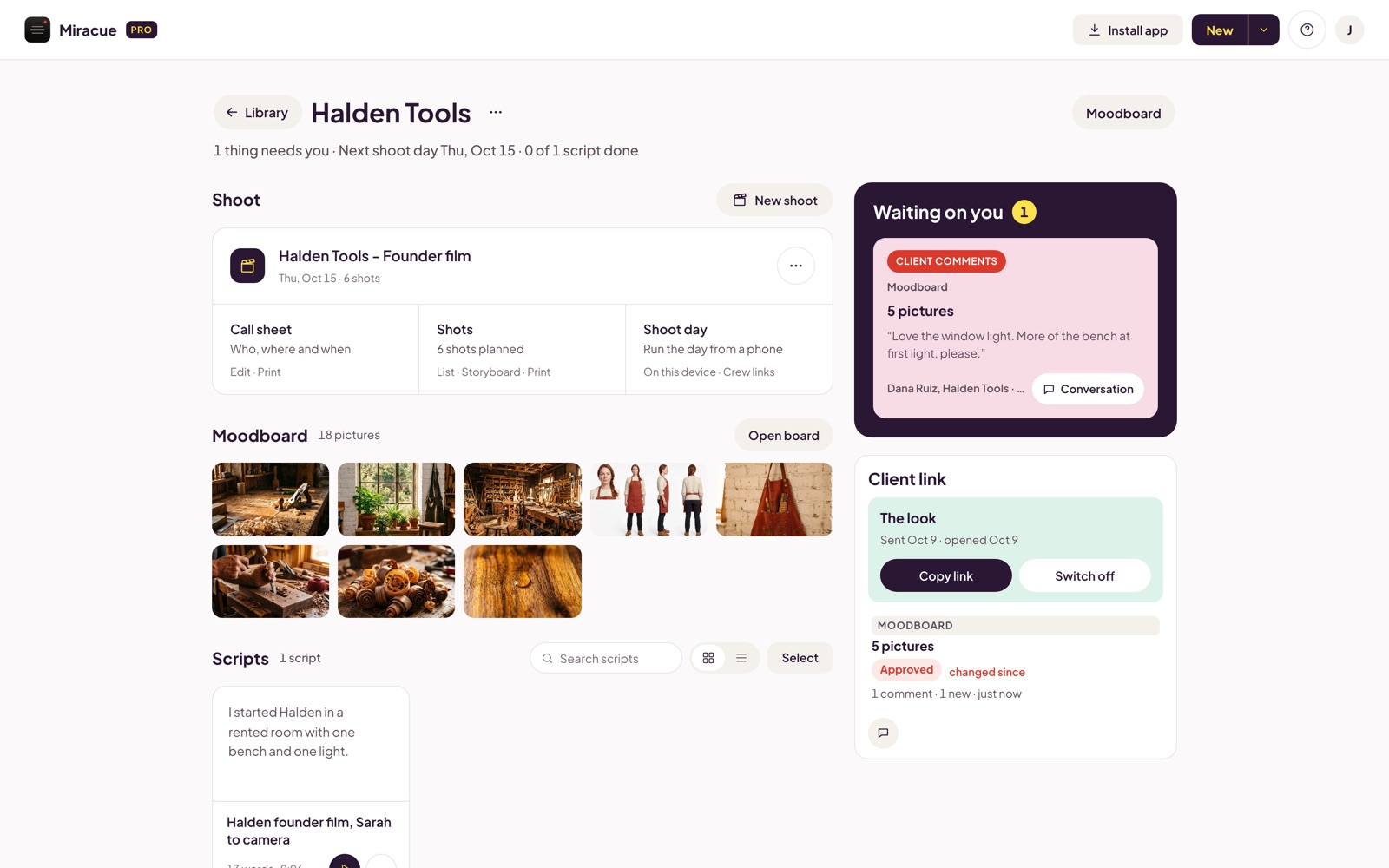
Each project gets its own board, next to the call sheet, the shot list and the prompter scripts for that job. Copy pictures from one project's board and paste them onto another.
Pictures are resized in your browser and kept in private storage, read only through short-lived signed links.
Send for approval
Get a yes on the look before anyone books a location
Tick the moodboard and send one link. Your client opens it in the browser as a gallery, with no account and no app, and presses Approve or Ask for changes.
Their answer comes back with their name and the time. If you add or take out a picture after they approved, Miracue tells you: changed since it was approved.


Only the people with the link can see it.

Miracue Blink, for Chrome
Save the frame you want. Press the eye.
An eye sits on any video you watch in Chrome, and on any picture while you hover over it. One press saves that frame to the project's moodboard you picked, with the link it came from.
The video keeps playing. You keep watching. Blink comes with Miracue Pro.

Blink is coming to the Miracue extension with Miracue Pro, opening in November.

Asked and answered
Is it a PureRef alternative?
It depends what you use PureRef for. PureRef is a desktop app built for artists, and it's very good at that. Miracue's board runs in the browser, inside your shoot project, and your client can approve it from a link. If your references feed a shoot and a client has to sign off on them, that's the job it was made for. The controls will feel familiar: wheel to zoom, drag to select, snap, arrange.
Does my client need a Miracue account?
No. They open one link in the browser, look through the board as a gallery, and press Approve or Ask for changes. Only people with the link can see it.
Who can see my pictures?
You, and anyone you send an approval link to. Pictures are resized in your browser, stored in a private bucket and read only through links that expire after a short time.
When can I use it?
The moodboard is part of Miracue Pro, which opens in November. Join the waitlist and you hear the day it opens.
When is Miracue Blink out?
Blink is part of the next Miracue extension update, which is with Google for review now. It comes with Miracue Pro, opening in November. Join the waitlist and we'll tell you the day it's ready.